
Imports
The Imports page is the entrance to the five imports: catalogue, students, teachers, open loans and patron photos. It
opens from the Imports tab of Administration. The admin account sees all the tabs; an account that can
import the catalogue or the patrons without being an administrator reaches it from the Dashboard and sees only the
tabs its permission allows. The imports are used when switching from another program, to bring its data into BiblioViva,
and the patron imports are also used at the start of every year, for the new classes. Every file is checked in full before importing: with
a single error nothing is imported.
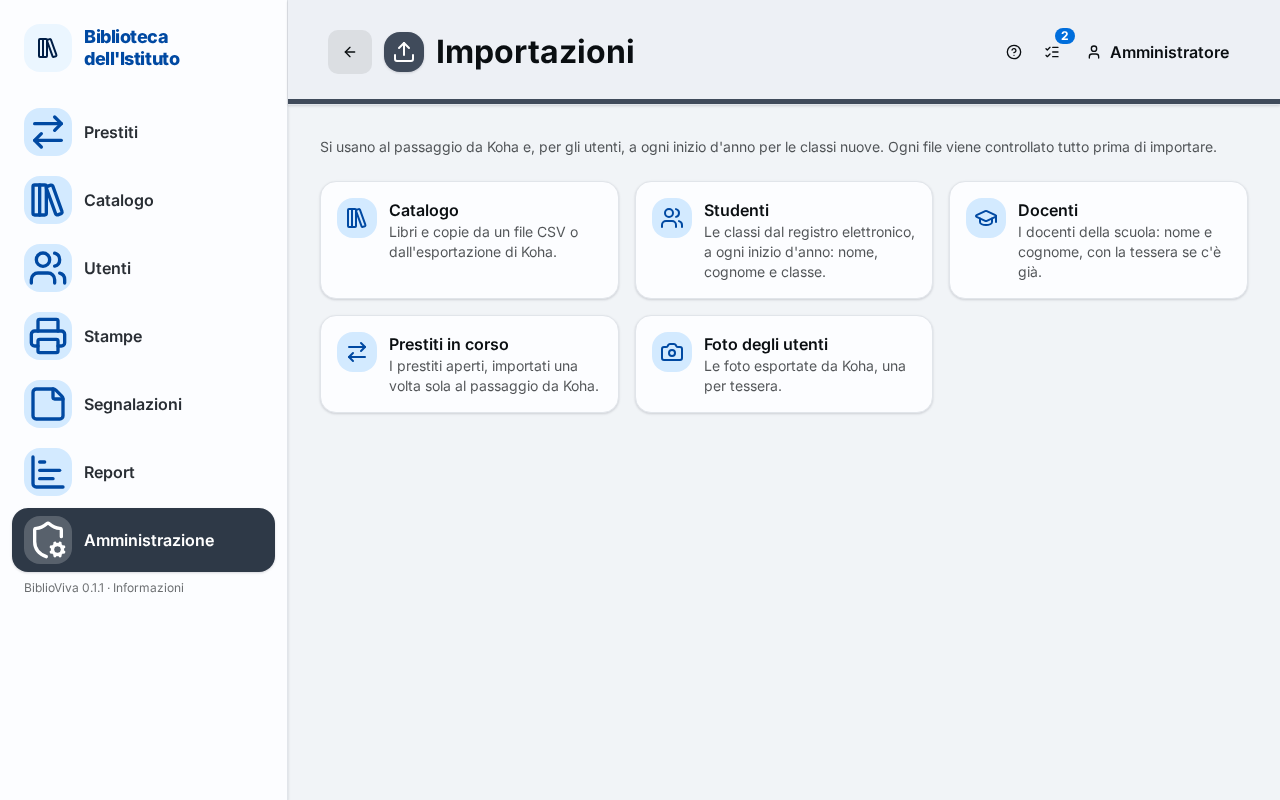
- The explanation under the title.
- The tabs of the imports allowed to the account.
The pages of the single imports share the tabs at the top (catalogue, students, teachers, open loans, photos) to move from one to another. The complete procedures are in the guides listed below; the file formats and columns are described in the technical reference of the imports.
Catalogue
Books and copies from a CSV file or from the export of another program. Permission: Import catalogue. Guide: Import the catalogue.
Students
The classes from the school register, at the start of every year: first name, last name and class. Permission: Import patrons. Guide: Import the students.
Teachers
The teachers of the school: first name and last name, with their card if they already have one. Permission: Import patrons. Guide: Import the teachers.
Open loans
The open loans, imported once only when switching from another program. Only the admin account. Guide:
Import the open loans.
Patron photos
The photos exported from the previous program, one per card. Only the admin account; the tab appears only when photos
are on in the Patron photos section of the Configuration. Guide:
Import the patron photos.