
Exports
The Exports page downloads the library's data into files to keep, to import again or to take to another program. It
is reserved for the admin account and opens from the Exports tab of Administration. It makes no changes:
each item is only a download.
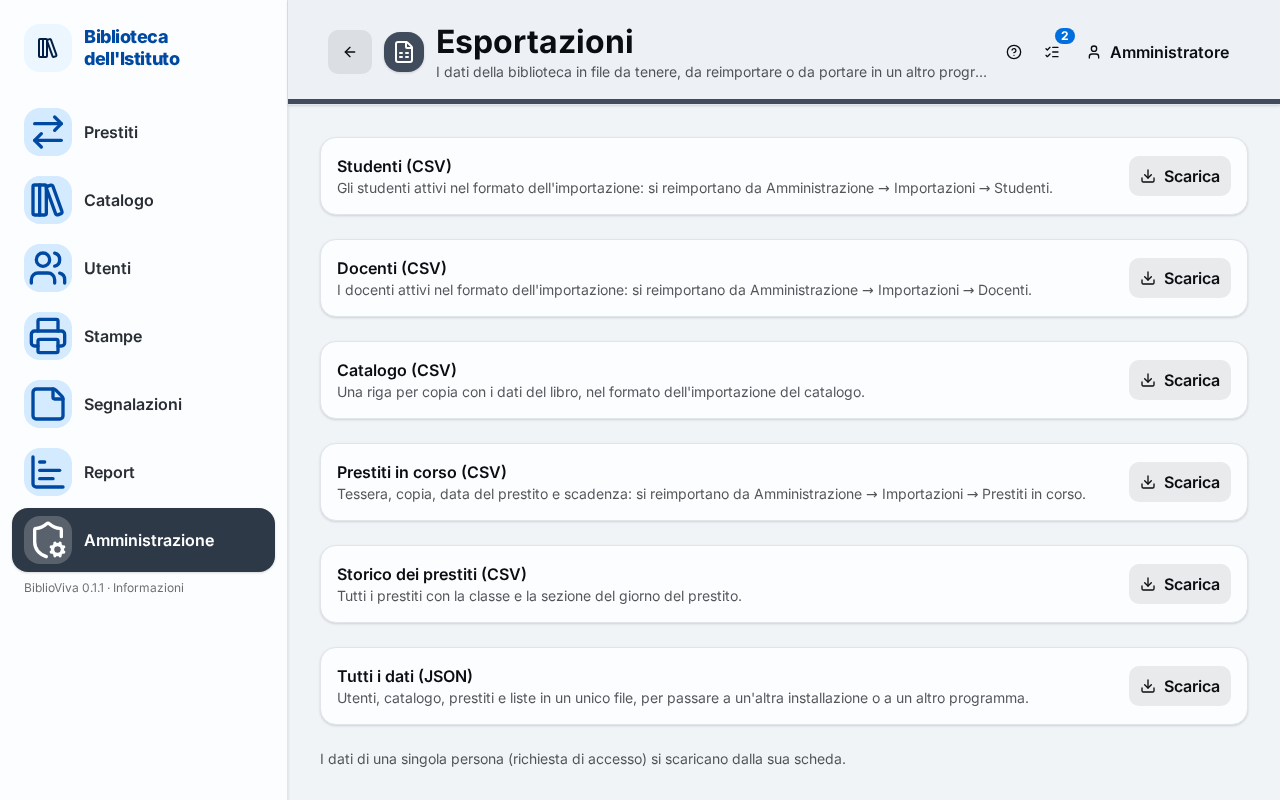
- An item: title and explanation.
- The Download button of the item.
- The note on the data of a single person.
Students (CSV)
The active students in the import format: they go back in from Imports, Students item.
Teachers (CSV)
The active teachers in the import format: they go back in from Imports, Teachers item.
Catalogue (CSV)
One row per copy with the book's data, in the catalogue import format.
Open loans (CSV)
Card, copy, loan date and due date: they go back in from Imports, Open loans item.
Loan history (CSV)
Every loan, with the class and section of the day of the loan.
All the data (JSON)
Patrons, catalogue, loans and lists in a single file, to move to another installation or to another program. It is not a backup: for the safety copies see Backups.
One person's data
Under the list a note says that the data of a single person (for example for an access request) are not downloaded from this page, but from their record, with the Export the person's data command. See Patron record.