
Lend or return a copy without a label
This page explains how to record the loan or return of a book that has no barcode label, or that has one the scanner does not read. Every copy has a code even when the label is missing: the code is found in the program and typed by hand. It is for staff at the circulation desk using the "Loan management" account.
- Time: one to two minutes.
- Account: "Loan management" (also "Administration") to lend and return; "Cataloguing" to print the label again.
- Requirements: the title of the book; for a return, also the surname of the patron who had it.
Procedure
Lend a book without a label
-
Open Catalogue from the side menu.
-
Type the title in the Search by title, author or ISBN… field (at least three letters). The list of books appears.
-
Click the book's row. The Book record opens.
-
Open the Copies tab. For each copy the table shows the Barcode and the Status.
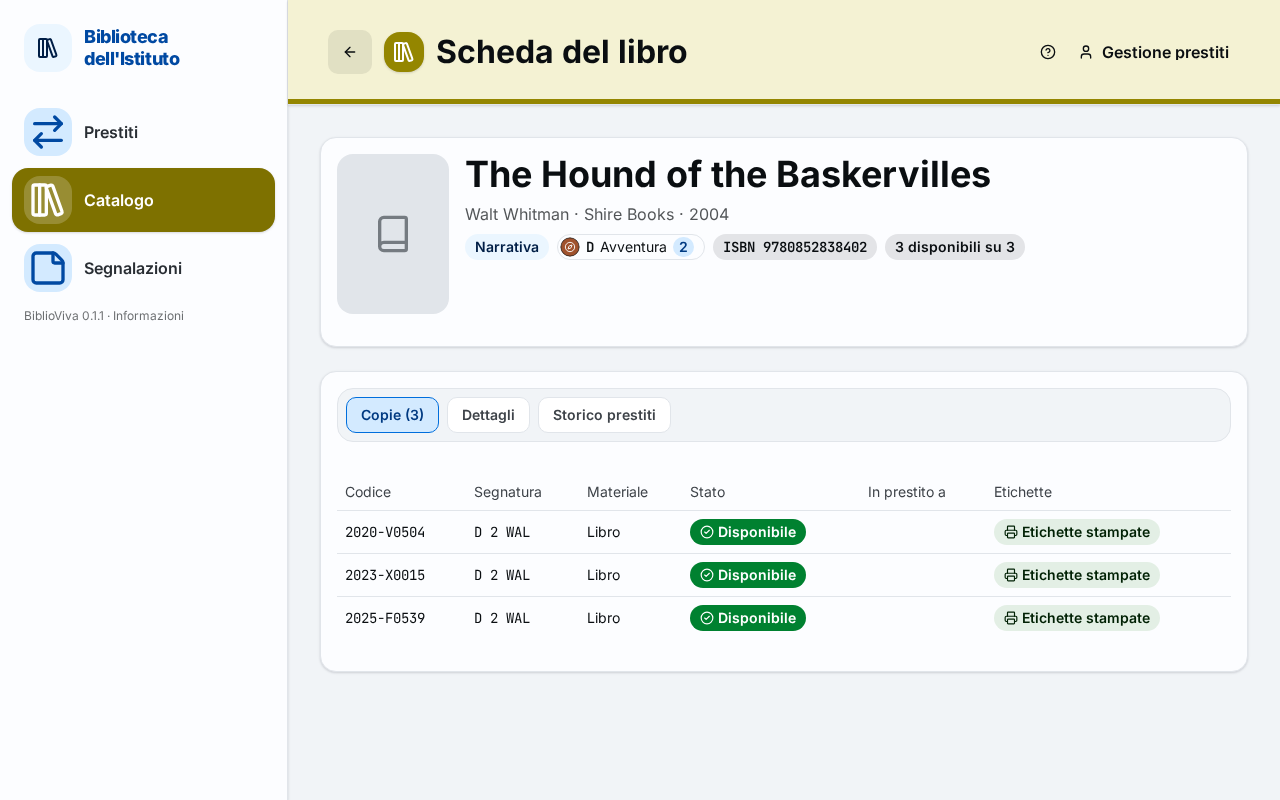
Figure 1. The Copies tab of a book, with the copies' barcodes -
If the book has only one copy, note its code. If it has more than one, see Possible problems.
-
Open Loans and read the patron's card.
-
Type the copy's code in the Scan the book field and press Enter. The loan is recorded as with the scanner.
-
Press Done.
Return a book without a label
-
Open Books on loan.
-
Type in the Search by surname or book barcode field the surname of the patron who had the book. The list of their loans appears.
-
Find the book by title and read its code in the Barcode column.
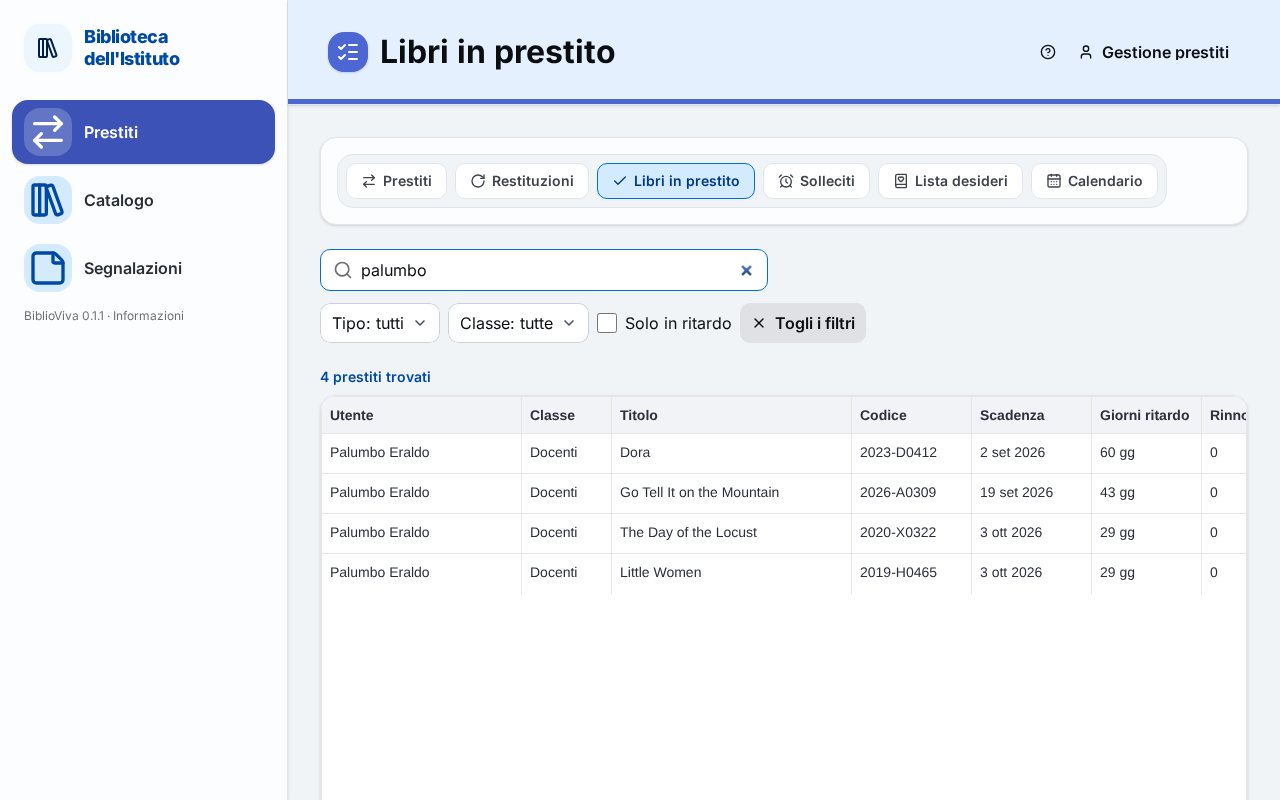
Figure 2. A patron's loans, with the code of each copy -
Open Returns.
-
Type the code in the Scan the barcode of the returned book field and press Enter. The return is recorded as with the scanner.
Result
The loan or return is recorded on the right copy. Codes are written as in the table, with the hyphen (for example
2026-E0267).
Possible problems
The title has several copies and it is not known which one is in hand
Do not lend a copy chosen at random: the loan would end up on the wrong copy and the stocktaking would find it out of place. Ask the "Cataloguing" account to print the label again, as in Print book labels, then lend the book with the scanner. The "Cataloguing" account sees the books waiting for a label in the Books without labels tile of the dashboard.
The code typed by hand is not accepted
The message says that the code was not found or that the check character does not match: check the letters and digits and type the code again. The forms of the library's codes are written in the message.
The book never had a code
It is not in the catalogue: the "Cataloguing" account has to record it first (Catalogue a new book).
The surname finds nothing in Books on loan
The page shows loans only after three letters of search or with a filter. Type more letters, or remove the filters with Clear filters. If the patron has no loans, the book is not on loan: to find out to whom, open the Book record in the Catalogue and read the On loan to column.