
Return a book
This page explains how to record the return of one or more books, even a whole pile. It is for staff at the circulation desk using the "Loan management" account.
- Time: a few seconds per book.
- Account: "Loan management" (also "Administration").
- Requirements: the returned books and the barcode scanner connected to the computer. The patron's card is not needed: a return is recorded by reading only the book.
Procedure
-
Open Returns from the side menu or from the tabs at the top. The Returns page opens, with the Scan the barcode of the returned book field.
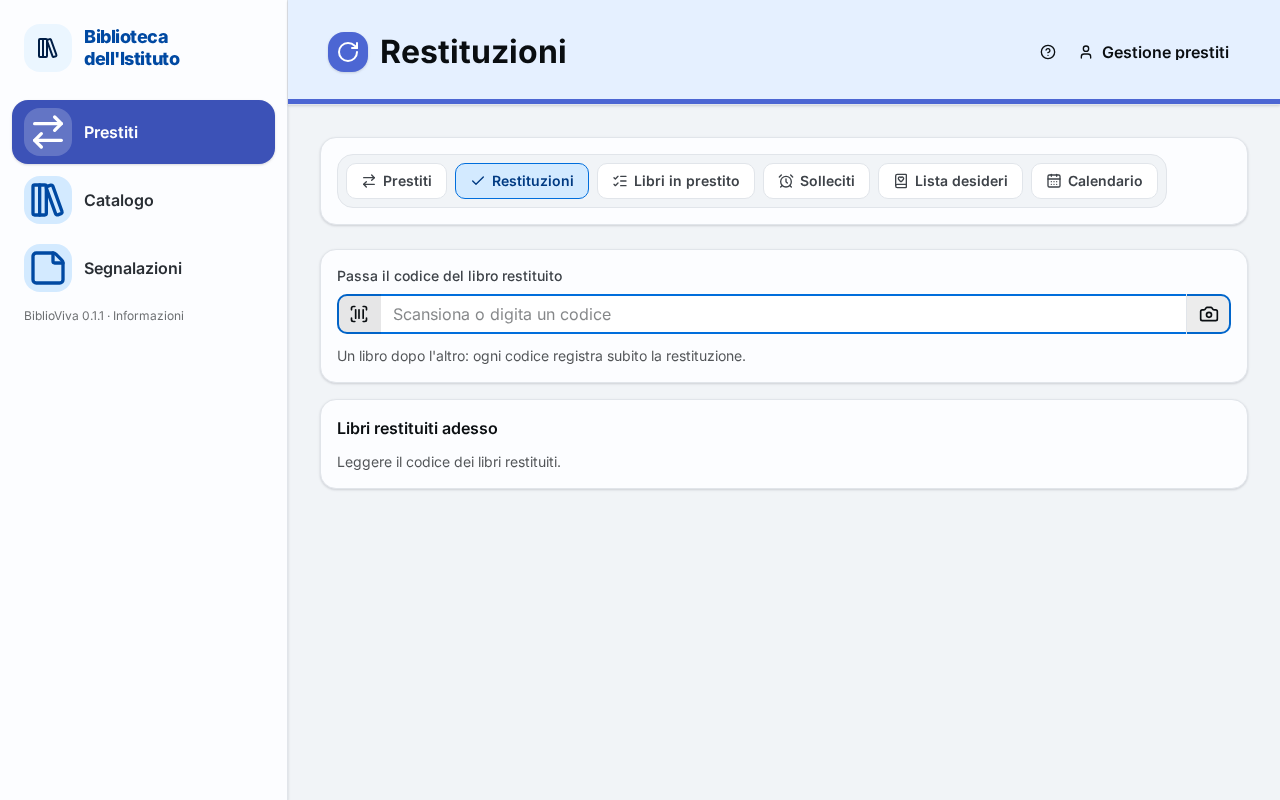
Figure 1. The Returns page, ready to read a book -
Read the barcode of the first book with the scanner. A message confirms the return with the title and the patron's name, and the book enters the Books returned now list.
-
Check in the book's row the loan date, the due date and the badge: "on time" or the days late.
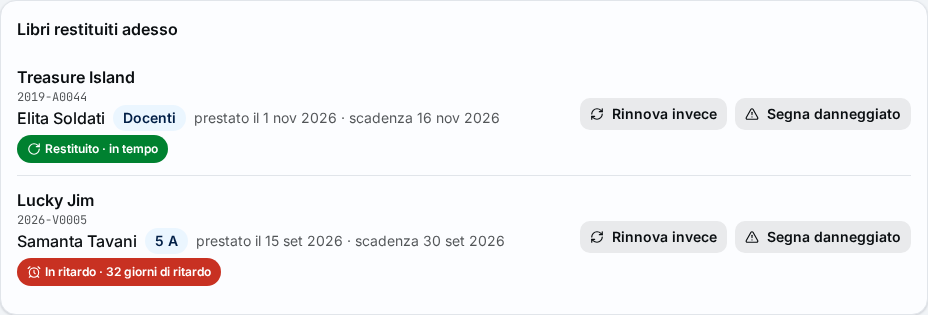
Figure 2. A book returned on time and one returned late -
Read the following books, one after the other. The field stays ready: each scan records the return at once.
-
If a book is damaged, press Mark damaged in its row. The copy is marked as damaged but can still be lent.
-
If the patron wants to keep the book, press Renew instead in the book's row: the loan is renewed instead of returned (Renew a loan).
-
Put the books back on the shelves following the call number written on the label.
Note. The days late are only information: the return is recorded in any case, on time or late.
Result
Each book read is no longer on loan and is available again. The patron no longer has that book in their record in Loans, and the return counts among the Returned today on the dashboard.
Possible problems
The messages are listed one by one on the Returns page; here are the most frequent cases.
The book is returned late
The message says by how many days and what the due date was, and offers Mark damaged. If the patron has other overdue books, the row also has Print a reminder, which opens a sheet with the books the patron has to return. For the overdue notices of all classes see Print the overdue notices.
A card was read instead of a book
The message says that this is a card and that only returns are recorded here. If the patron wants to take a book, press Go to Loans with this patron: the Loans page opens with the patron already chosen.
The book is not on loan
There is no return to record: the book is available anyway. It happens when a book was lent without being recorded, or when the return has already been recorded. A book already returned today shows the time of the return and nothing changes.
The book was marked as lost
The message says that the copy becomes available again. Press Confirm to close the message.
The code is not recognised
Read the code again; if the label is damaged or missing, see Lend or return a copy without a label. If the scan gives a code that matches both a card and a book (it happens with the numbers of the old system), choose Card or Book.
The code comes from the loans page
Whoever pressed Go to Returns from Loans finds the code already written in the field, with the prompt to press Enter. The return is recorded only with Enter.