
Check the books on loan
This page explains how to see which books are out, who has them and when they are due back, and how to search, filter, renew and export the list. It is for staff at the circulation desk using the "Loan management" account.
- Time: a few minutes.
- Account: "Loan management" (also "Administration"). Opening the patron's record from a row also requires the patrons permission, which among the default accounts only "Administration" has.
- Requirements: nothing in particular.
Procedure
-
Open Books on loan from the tabs at the top of the circulation desk. The page does not show the list at once: it says how many books are on loan and invites a search.
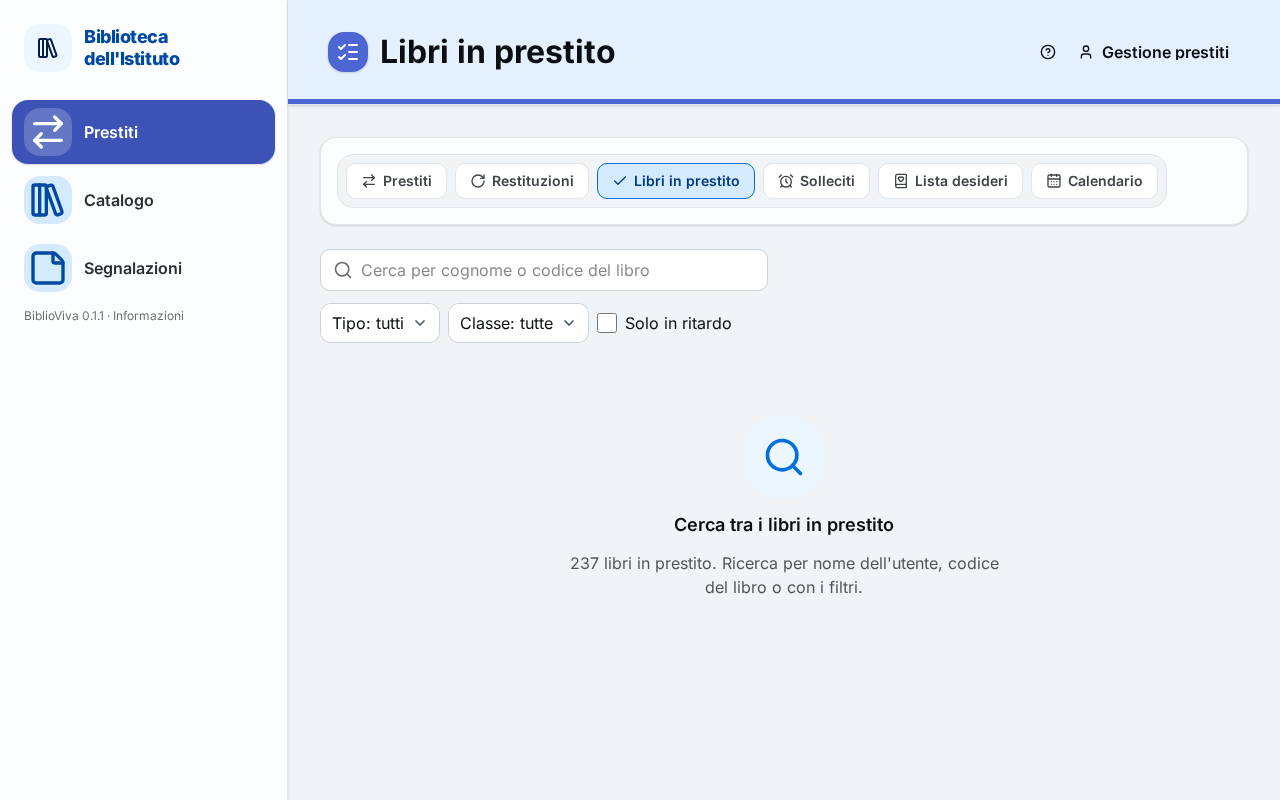
Figure 1. The Books on loan page before the search -
Type in the Search by surname or book barcode field at least three letters of the surname, or a code. A code of digits only is also searched with fewer than three.
-
Alternatively, or in addition, choose a filter: Type (Students or Teachers), Class, or tick Overdue only. With a filter the list appears even without text.
-
Read the list. Above it, a line says how many loans were found. Each row has the patron, the class, the title, the copy's code, the due date and, if the book is overdue, the days late.
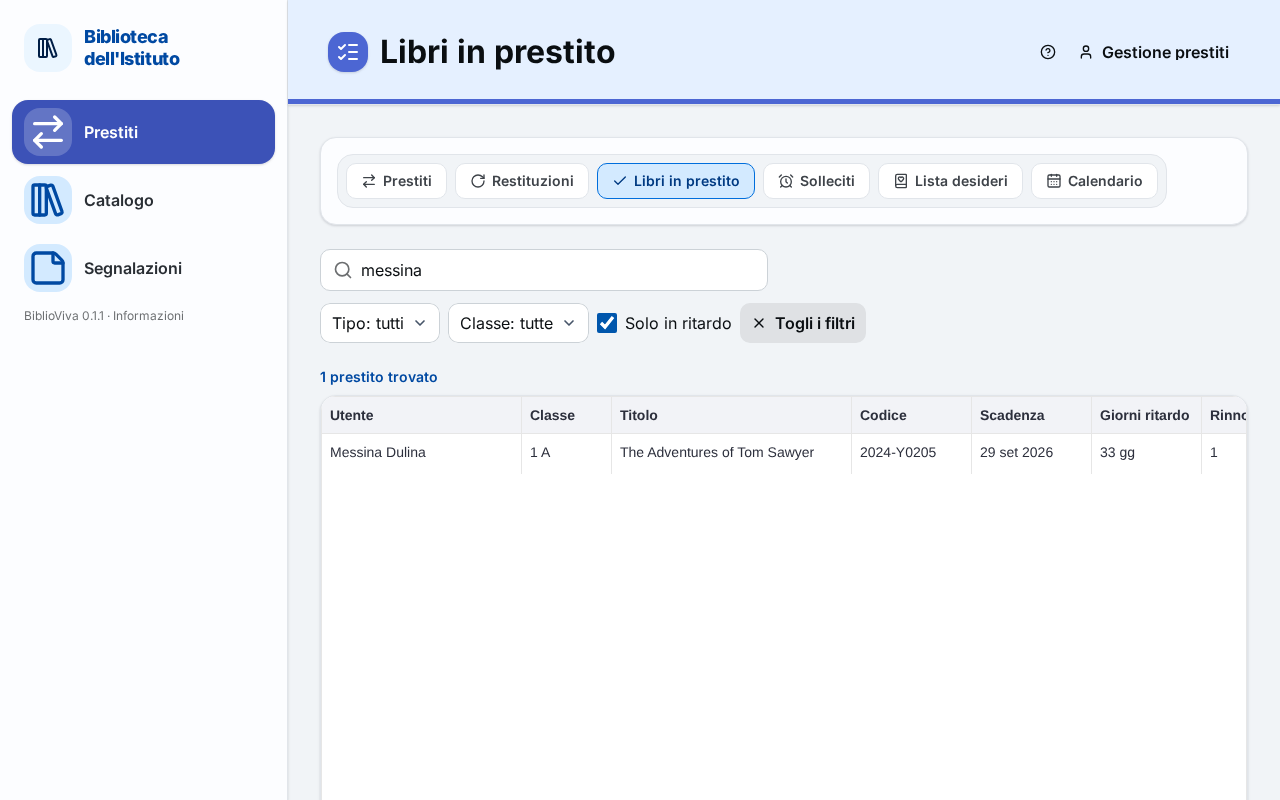
Figure 2. The overdue loans of a class -
To sort the list, click the heading of Patron, Class, Title or Days late.
-
To remove the search and the filters, press Clear filters.
Renew several loans
- Select the rows with the box on the left.
- Press Renew selected. See Renew a loan.
Export the list
- Under the table, press Export.
- Choose the format: CSV or ODS. The file contains the loans found with the search and the filters in use.
Result
The list shows, for each loan, the patron, the class, the title, the copy's code, the due date, the days late, the renewals made and the date of the last notice.
Possible problems
The list is empty
If the page says there are no open loans, nothing is out. If the loans exist, the search is too narrow: press Clear filters and try again.
A click on the row does nothing
The patron's record opens only with an account that has the loans permission and the patrons permission: among the default accounts, only "Administration". The "Loan management" account has no access to patrons' records: for the patron's data use the list.
The list of a whole class is needed
Choose the class in Class, then Export.
A book is being looked for and it is not known who has it
Type the copy's code in the search field. To search by title use the Catalogue (Find a book): the Book record shows who has each copy.