
About
The About page says which version of BiblioViva is installed, under which licence and with which libraries. It is for whoever asks for help, because the version number helps to understand the problem, and for whoever wants to know which programs by others are inside BiblioViva.
The page opens from the account menu, at the top right, with the About item, and from the version number at the bottom of the side menu. All accounts can open it.
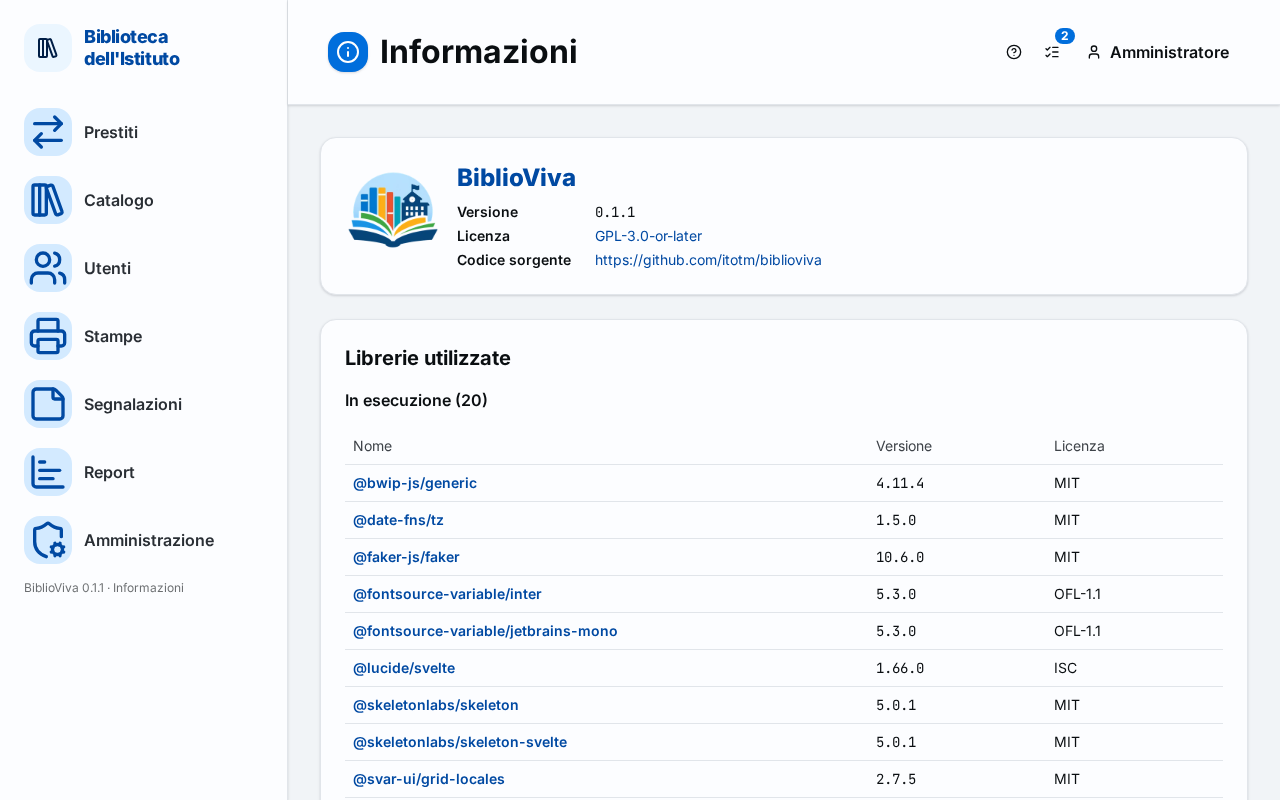
In the figure:
- The logo and the name: Application data.
- The Version: Application data.
- The Licence and the Source code: Application data.
- The list of libraries: Libraries used.
Application data
The first tile gives the name BiblioViva and three items:
- Version: the number of the installed version, for example the one to give to whoever provides support (see Ask for help);
- Licence: the program's licence, the GNU General Public License version 3 or later. The text is read by pressing the name of the licence, on the Free Software Foundation site;
- Source code: the address of the project, where the code of BiblioViva is found.
The links open in a new browser tab.
Libraries used
BiblioViva is built with free programs by other authors. The Libraries used section lists them, in three groups, with three columns: Name, Version and Licence. The name leads to the library's site; the version, where possible, to its page in the package registry.
- "Runtime (N)", where N is the number of libraries: those the program uses while working;
- System components: the programs of the system on which BiblioViva runs;
- "Development only (N)": the tools used to build and test BiblioViva, not to use it. The group is closed and opens by pressing its title.
The list cannot be edited and requires no action.