
Reprint a card
This page explains what to do when a patron has lost the card or damaged it. If the card is only damaged, the same one is printed again; if it is lost, a new number is assigned and the card is printed with that number. It is for whoever manages the cards.
- Time: about 5 minutes.
- Account: Cards and photos (also Administration).
- Requirements: the patron's name, a printer and an A4 sheet.
Important. With Reassign card the current number is retired for good and never goes back to anyone. If the patron finds the old card, it is no longer of any use. Use this command only when the card is really lost.
Procedure
Find the patron
-
Log in to BiblioViva with the "Cards and photos" account.
-
Open Patrons.
-
Write at least three letters of the surname in the Search by surname… field.
-
Press the patron's row. The Patron record opens.
-
Open the Card tab. It shows the number and the barcode of the current card and says whether it has already been printed.
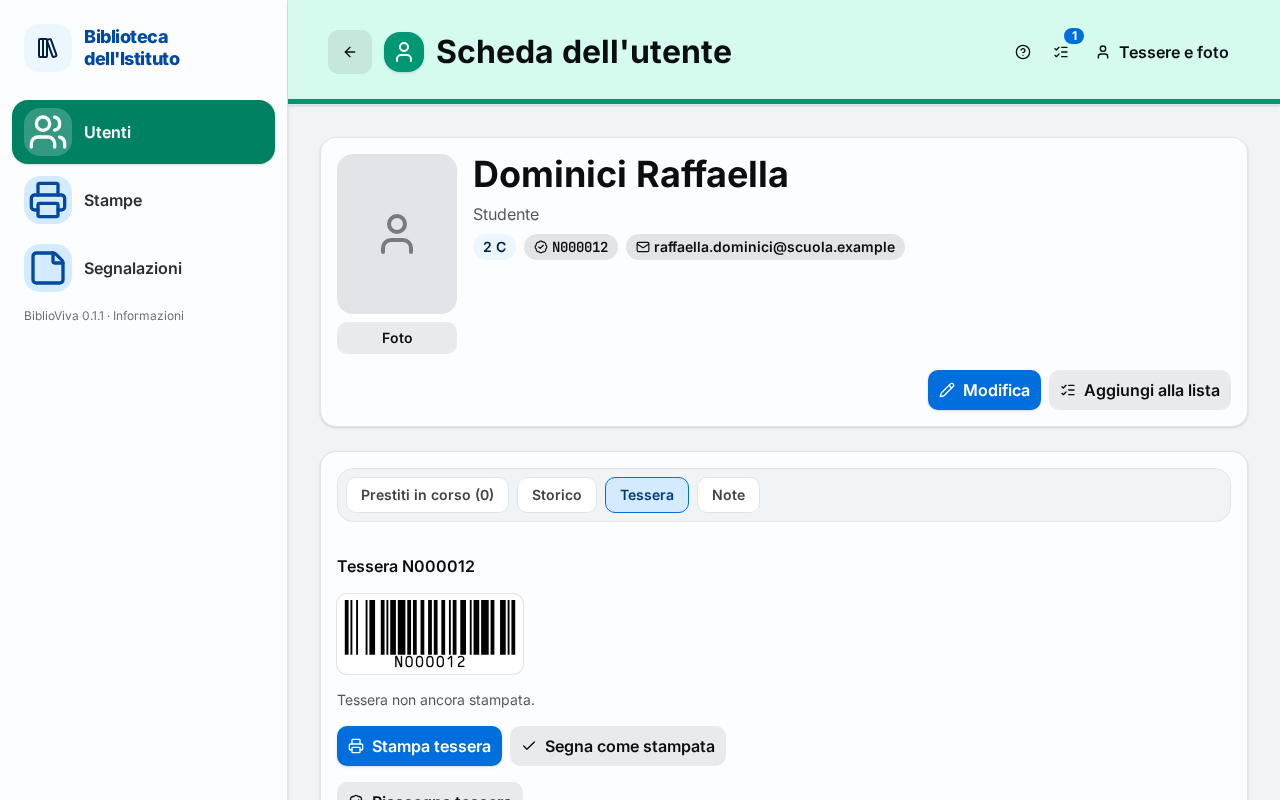
Figure 1. The Card tab of the patron record with the print buttons and Reassign card
Reprint the same card (damaged card)
The card keeps its number: the loans and the record stay as they are.
- Press Print card. The Print cards window opens.
- Choose How to print and press Print. The choice, the printing and the cutting are explained in Print the cards of a class.
- After printing press Mark as printed.
Assign a new card (lost card)
- Press Reassign card. The "Assign a new card?" window opens, which warns: "The current number is retired for good and the new card will need printing.".
- Press Reassign card in the window. The notice "New card:" appears followed by the new number. The Card tab shows the new number and the text "Card not printed yet.".
- Press Print card and follow the window, as in the previous part.
- After printing press Mark as printed.
- Hand the new card to the patron and take the old one out of circulation, if it is found.
The open loans stay with the patron: they belong to the patron and not to the card. At the circulation desk the new card must be read with the barcode scanner like the old one. The number of the old card no longer belongs to anyone: if it is read, the desk answers that the code was not found.
Result
The patron has a card that works. With a new card, the Patron record shows the new number and the old card no longer identifies anyone.
Possible problems
- The Print card button is missing: the patron has no card number, or has been removed. A removed person no longer has a card; for a patron without a number press Reassign card.
- The sheet comes out without the photo: the patron has no photo, or the administrator has switched off the photos. See Take the patrons' photos.
- The backs do not fall behind the fronts, or the sizes are wrong: see the possible problems of Print the cards of a class.
- Reassign card was pressed by mistake: the previous number cannot be recovered. The new card must be printed and handed over anyway.